



 Github Stars:
 Last Commit:
  Created:
Overview
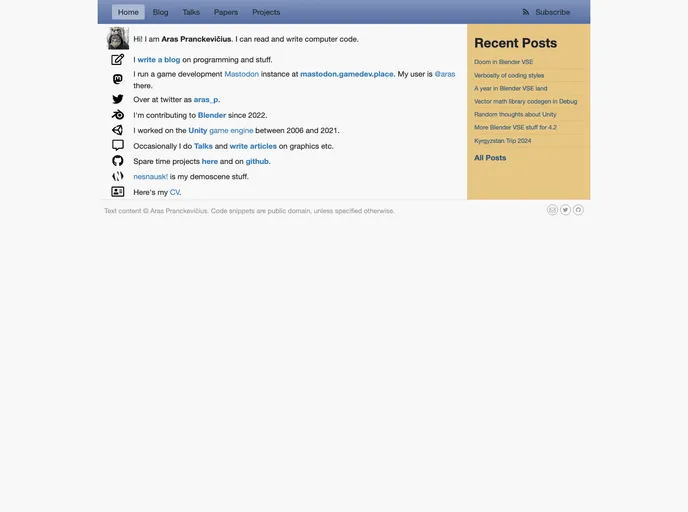
The Aras-P Hugo website is a personal project that utilizes the Hugo static site generator. The main focus of the website is the custom theme located in the themes/aras folder. The theme is based on the Vienna theme but has been extensively modified to resemble the previous Octopress-based website look.
Features
- Custom Theme: The website utilizes a custom theme that has been modified to resemble the previous Octopress-based website look.
- Hugo Integration: The website is built using the Hugo static site generator, providing fast and efficient generation of static HTML files.
- Content Management: The website allows easy management and organization of content, making it simple to create, edit, and publish new pages and blog posts.
Installation
To install the Aras-P Hugo theme, follow these steps:
- Clone the Aras-P Hugo repository.
- Navigate to the
themes/arasfolder. - Copy the contents of this folder into the
themesfolder of your Hugo project. - Modify the configuration file of your Hugo project (
config.tomlorconfig.yaml) to set the theme asaras. - Run the Hugo command to build your website with the Aras-P theme.
Here is an example of how the configuration file should look like:
theme = "aras"
Make sure to customize your website content and design according to your needs.
Summary
The Aras-P Hugo website is a personal project that showcases a custom theme based on the Vienna theme. The theme has been modified extensively to resemble the look of a previous Octopress-based website. By utilizing the Hugo static site generator, the website offers fast and efficient content management and generation of static HTML files. The provided installation guide allows users to easily integrate the Aras-P theme into their own Hugo projects.































