



 Github Stars:
 Last Commit:
  Created:
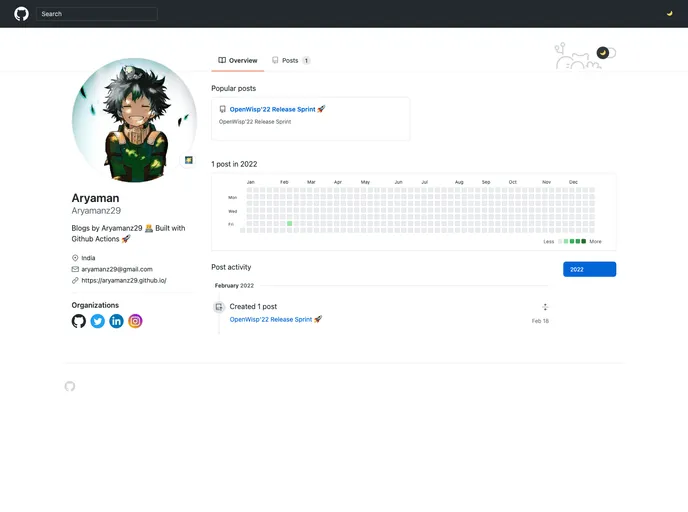
Overview
This product is a headless CMS (GitHub theme) that uses Hugo, GitHub Issues, and GitHub Actions to easily create and manage blog posts. It simplifies the process of blogging with GitHub, providing features like adding, editing, removing, and previewing blog posts.
Features
- Add Blog Posts: Easily create a new blog post by creating an issue using the “create-a-post” issue template.
- Edit Blog Posts: Edit existing blog posts by modifying the corresponding issue.
- Remove Blog Posts: Close the issue associated with a blog post to remove it from the CMS.
- Preview Blog Posts: View a preview of your blog posts to check how they will appear on the website.
- Organize Blog Posts: Pin blog posts to the home page or push them to an “all posts” page by setting the “pin” attribute in the issue template.
Installation
To add this CMS to your repository, follow these steps:
- Clone this repository to your local machine.
- Modify the
config.tomlfile by replacingYOUR_GITHUB_USERNAMEwith your GitHub username andYOUR_REPO_NAMEwith the name of your repository. - Update the workflow files:
create-issue-posts.yml(line 36) andremove-issue-posts.yml(line 31). - Make sure to add the Hugo theme and run the local development server to ensure everything is working as expected.
Summary
This product is a headless CMS built as a GitHub theme, utilizing Hugo, GitHub Issues, and GitHub Actions. It offers a simple and intuitive way to create, edit, remove, and preview blog posts. Additionally, it allows for easy organization of blog posts by pinning them to the home page or pushing them to an “all posts” page. The installation process involves cloning the repository, modifying the configuration file, and updating the workflow files. Overall, this CMS provides a convenient and user-friendly solution for blogging with GitHub.































