



 Github Stars:
 Last Commit:
  Created:
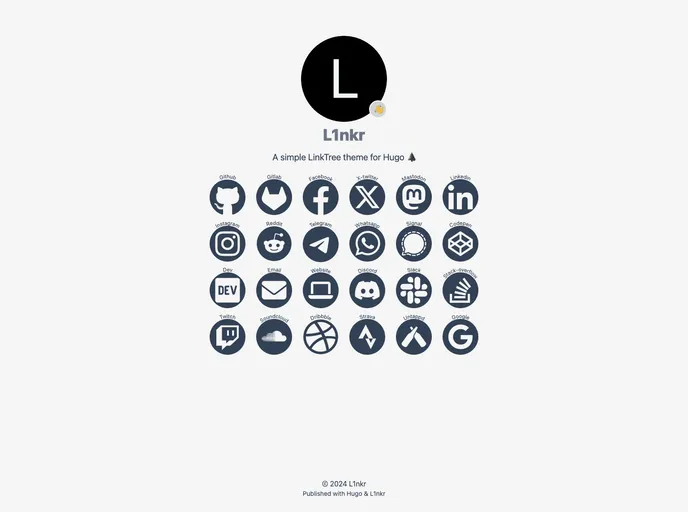
Overview:
L1nkr is a simple LinkTree type Hugo theme designed for mobile-first websites. It has an intuitive interface and is easy to set up. The theme offers features such as automatic dark mode, emoji support, and more than 40 supported brand links.
Features:
- Simple LinkTree theme: Designed for mobile-first websites.
- Automatic dark mode: Adapts to the user’s system settings.
- Emoji support: Add emojis for a fun design.
- More than 40 supported brand links: Easily add links to popular platforms and websites.
Installation:
To install the L1nkr theme, first, make sure you have Hugo and Go installed on your local machine. Then, follow these steps:
- Follow this link to access the theme template.
- Clone your version of the template to your local computer using the “Use this template” button.
- Change the module name in
go.modto match your GitHub repository. - Modify the configuration files
config/_default/hugo.yamlandconfig/_default/params.yamlaccording to the provided configuration instructions. - In a terminal or command-line window, navigate to the newly created folder using
cd. - Build a local version of your site by executing
hugo server. You can view the site by going tolocalhost:1313in your browser. - Add a new image to the
assets/folder, using the same name as specified inparams.yaml. - Update the
faviconby replacing theicon.pngfile with a new one. The image should be 512px by 512px in size.
Summary:
L1nkr is a simple LinkTree Hugo theme that is designed to be mobile-first and user-friendly. With features like automatic dark mode and support for a wide range of brand links, it offers an easy way to create a LinkTree-like website. Installation is straightforward, requiring Hugo and Go installation and configuration of the theme files. Overall, L1nkr is a great choice for anyone looking to create a simple and intuitive link collection website.































