



 Github Stars:
 Last Commit:
  Created:


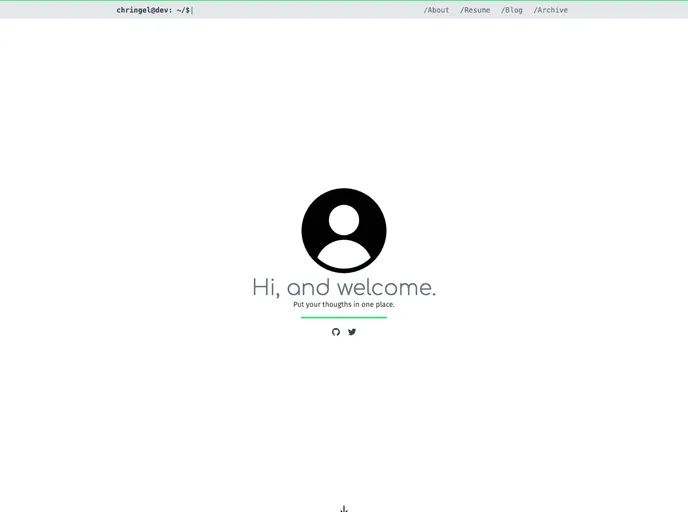
Overview
chringel is a privacy-focused theme for Hugo, a popular static site generator. The theme is based on the Hugo Starter Theme with Tailwind CSS and prioritizes privacy by disabling default integrations like Disqus and Google Analytics. Instead, it offers configuration options for Isso and umami, self-hosted alternatives for commenting and web analytics. The theme also includes features like automatic dark mode, deeplinks, syntax highlighting, SVG icons, and IndieWeb implementation.
Features
- Automatic dark mode based on device setting: The theme automatically switches between light and dark modes based on the user’s device settings.
- Isso commenting server: Instead of using Disqus, chringel provides a self-hosted commenting solution through Isso.
- Umami web analytics: chringel offers an alternative self-hosted web analytics solution using umami.
- SVG icons powered by ionicons: The theme includes social media icons (Twitter, Github, Mastodon, RSS) as SVG images, and additional icons can be easily downloaded with a shell script.
- Syntax highlighting with copy function: chringel supports syntax highlighting for code snippets and allows users to copy the code with a single click.
- Deeplinks to headings: Users can create deeplinks to specific headings within a blog post, making it easier to share or navigate to specific sections.
- Resume from JSON data: The theme enables users to generate a resume using JSON data based on the JsonResume schema.
- IndieWeb implementation: chringel includes support for IndieWeb microformats2 h-card and h-entry, enabling users to implement IndieWeb features on their site.
Installation
To install chringel theme for Hugo, follow these steps:
- Edit your
config.tomlfile to set the theme to chringel. - Create a new post or note using the provided archetype:
- To create a post bundle, use the command:
hugo new posts/<post-name>.md. - To create a note, use the command:
hugo new notes/<note-name>.md.
- To create a post bundle, use the command:
- Install the required dependencies:
- Install
postcss-cliandautoprefixerglobally. - Change into the theme’s folder and run
npm installto install other dependencies.
- Install
- Set the
writeStatsoption in yourconfig.tomlfile to enable purging of CSS classes in production. - Run the Hugo server using the command:
hugo server. - Customize the theme as per your requirements by referring to the Tailwind CSS documentation.
Summary
chringel is a privacy-focused theme for Hugo that emphasizes privacy by disabling default integrations like Disqus and Google Analytics. Instead, it provides self-hosted alternatives such as Isso for commenting and umami for web analytics. The theme comes with features like automatic dark mode, deeplinks, syntax highlighting, SVG icons, and IndieWeb implementation. Installing the theme involves setting the theme in the configuration file, creating posts or notes, installing dependencies, and customizing the theme using Tailwind CSS.































