



 Github Stars:
 Last Commit:
  Created: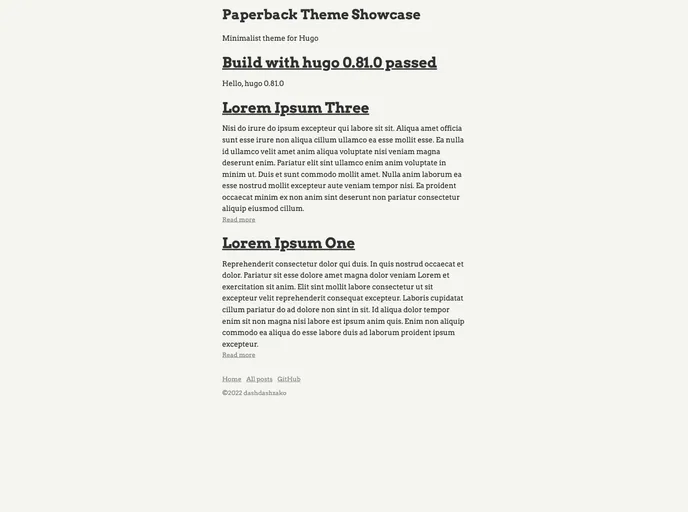
Overview:
Paperback is a minimalist theme for Hugo that is designed to improve the reading experience. It achieves this through the use of high contrast colors and a lack of fancy effects. Additionally, the theme integrates Highlight.js for syntax highlighting of code snippets.
Features:
- Minimalist Design: Paperback focuses on simplicity and a clean aesthetic to maximize readability.
- High Contrast Colors: The theme utilizes high contrast colors to make the text stand out and improve readability.
- Syntax Highlighting: Paperback integrates with Highlight.js to provide syntax highlighting for code snippets.
Installation:
To install the Paperback theme for Hugo, you can follow these steps:
- Refer to the Hugo documentation for detailed instructions on how to install themes.
- Once you have installed Hugo, navigate to the root directory of your Hugo project.
- Locate the “themes” directory and create a new directory called “paperback”.
- Download the Paperback theme files and move them into the new “paperback” directory.
- Open the configuration file for your Hugo site (config.toml or config.yaml) and add the following line:
theme = "paperback" - Save the configuration file and run the Hugo server to see the Paperback theme in action.
Summary:
Paperback is a minimalist Hugo theme that aims to enhance the reading experience by utilizing high contrast colors and a clean design. It also integrates with Highlight.js for syntax highlighting of code snippets. Installing the theme is straightforward and can be done by following the Hugo documentation. Overall, Paperback is a great choice for those who want a simplistic and visually appealing theme for their Hugo site.































