



 Github Stars:
 Last Commit:
  Created:
Overview
Blockify is a work in progress theme that is being developed. The project welcomes ideas and collaboration from users through Discussions and encourages bug reports through the Issue Tracker.
Features
- Integrated original Hugo Modules by @davidsneighbour
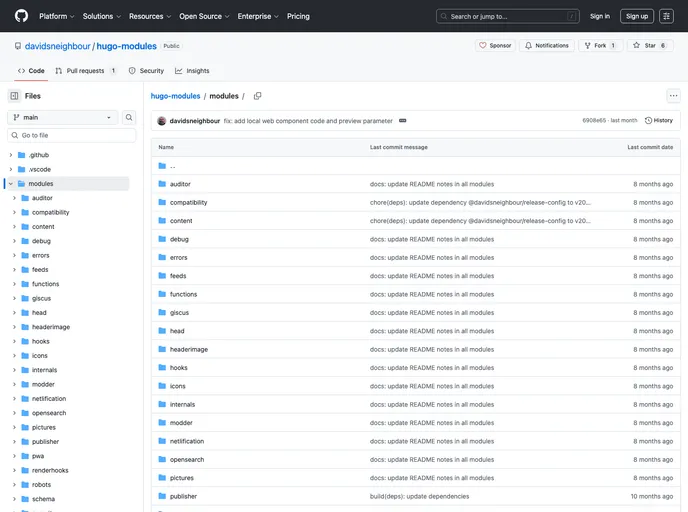
- Includes modules such as hugo-auditor, hugo-head, hugo-debug, hugo-feeds, hugo-giscus, hugo-hooks, hugo-icons, hugo-internals, hugo-functions, hugo-netlification, hugo-opensearch, hugo-pictures, hugo-publisher, hugo-pwa, hugo-robots, hugo-security, hugo-shortcodes, hugo-sitemap, hugo-social, hugo-youtube
Installation
To install the Blockify theme and its integrated Hugo Modules, follow these steps:
Clone the Blockify repository to your local machine:
git clone https://github.com/[username]/[repository].gitNavigate to the theme’s directory:
cd [path-to-theme-directory]Install the required Hugo Modules using the following commands:
npm install hugo-auditor
npm install hugo-head
npm install hugo-debug
npm install hugo-feeds
npm install hugo-giscus
npm install hugo-hooks
npm install hugo-icons
npm install hugo-internals
npm install hugo-functions
npm install hugo-netlification
npm install hugo-opensearch
npm install hugo-pictures
npm install hugo-publisher
npm install hugo-pwa
npm install hugo-robots
npm install hugo-security
npm install hugo-shortcodes
npm install hugo-sitemap
npm install hugo-social
npm install hugo-youtube
Once the installation is complete, configure the required modules in your Hugo project’s configuration file.
Customize the Blockify theme and its modules according to your needs.
Summary
Blockify is an ongoing project that offers a theme and integrated Hugo Modules for users to enhance their Hugo websites. With features such as hugo-auditor, hugo-head, hugo-debug, and more, users can improve the functionality and appearance of their Hugo sites. The project welcomes user input through Discussions and encourages bug reports via the Issue Tracker.






























