



 Github Stars:
 Last Commit:
  Created:

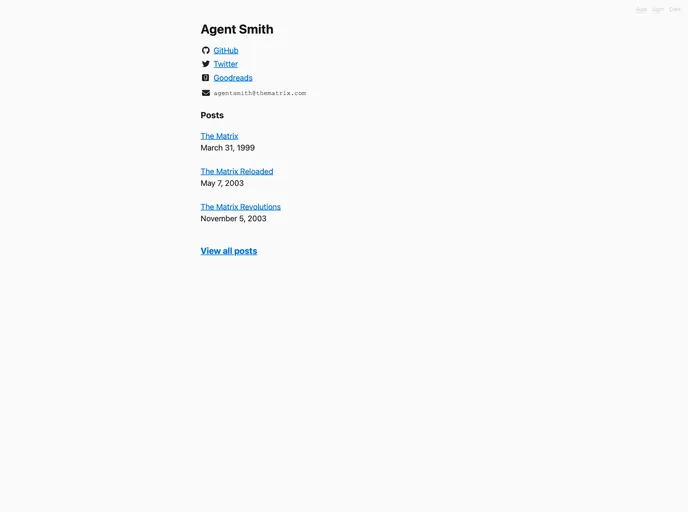
Overview:
Lekh is a simple and minimal personal portfolio theme designed for text-focused websites. It is based on the popular GitHub repository vegarsti/vegarsti.github.io. This theme offers a clean and professional design with a focus on showcasing your written content. It supports social media links, markdown formatting, easy personalization, RSS feed, and even a dark mode. Lekh also includes GoatCounter analytics to track website visitors. It is an ideal choice for individuals looking to create a personal portfolio or blog website.
Features:
- Social media links: Easily add links to your social media profiles to connect with your audience.
- Markdown supported: Write your content using markdown syntax for easy formatting and styling options.
- Easy to personalize: Customize the theme according to your preferences by modifying the config.toml file.
- RSS feed: Lekh provides an RSS feed feature, allowing your readers to subscribe to your updates.
- Dark mode: Inspired by https://www.gwern.net/, Lekh offers a dark mode option for better readability in low light conditions.
- GoatCounter counts: Integrated with GoatCounter analytics, Lekh helps you track website visitors and analyze website performance.
- Creating posts: Lekh makes it easy to create and publish new posts on your website, allowing you to keep your content fresh and engaging.
Installation:
To install and use the Lekh theme, follow the steps below:
Install Hugo: Make sure you have Hugo installed on your computer. Refer to Hugo’s official website for installation instructions specific to your operating system.
Create a new site: Open your terminal and navigate to the directory where you want to create your new site. Execute the following command to create a new Hugo site:
hugo new site my-portfolio
- Add Lekh as a theme: Now, you need to add Lekh as your site’s theme. Execute the following commands in the terminal:
cd my-portfolio
git clone https://github.com/vegarsti/lekh themes/lekh
cp themes/lekh/exampleSite/config.toml .
Personalize the theme: Open the
config.tomlfile in a text editor and customize it according to your preferences. This file allows you to modify various aspects of the theme, such as site title, social media links, dark mode settings, etc.Create posts: To create a new post on your website, navigate to the root of your site’s directory in the terminal and execute the following command:
hugo new posts/my-first-post.md
- Serve your site: Finally, serve your site locally to see the changes. Execute the following command in the terminal:
hugo server
This will start a local server that you can access in your web browser at http://localhost:1313. You can now view your website with the Lekh theme applied.
For more detailed instructions and information, refer to Hugo’s official guide.
Summary:
Lekh is a minimal personal portfolio theme designed for text-focused websites. It offers various features such as social media links, markdown support, easy personalization, dark mode, RSS feed, and GoatCounter analytics integration. By following the installation guide, users can easily set up Lekh as their website’s theme and start creating engaging and stylish content. Whether you’re a blogger or a professional looking to showcase your work, Lekh provides a clean and professional design that allows your written content to take center stage.































