



 Github Stars:
 Last Commit:
  Created:

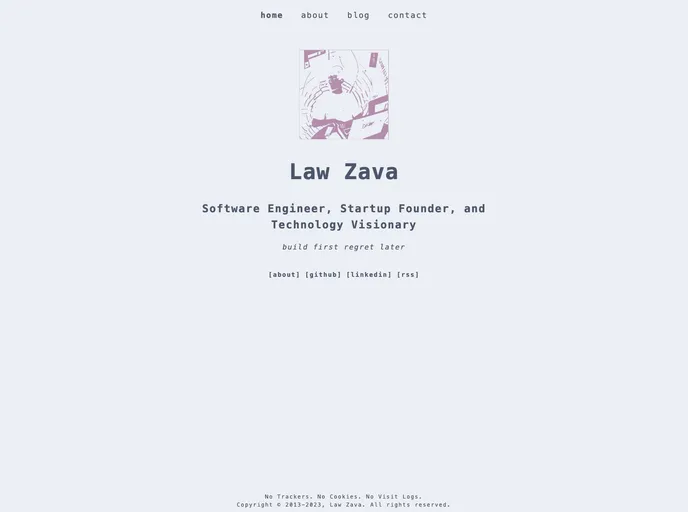
Overview
The Hugo Tailwind Nord Theme is a theme package designed for use with Hugo, a static site generator. It provides a sleek and modern design, inspired by the Nord color scheme. This theme is built using Tailwind CSS and incorporates the use of Hugo Pipe’s PostCSS.
Features
- Sleek and modern design inspired by the Nord color scheme
- Utilizes the power of Tailwind CSS for easy customization
- Built-in support for Hugo Pipe’s PostCSS for efficient CSS processing and optimization
Installation
To install and use the Hugo Tailwind Nord Theme, follow these steps:
- Make sure to have postcss-cli and autoprefixer installed globally in your environment, as Hugo Pipe’s PostCSS requires them.
- Ensure you are using a minimum Hugo version of v0.80.0 and above.
- Start a new Hugo site using the
hugo new sitecommand. - Switch into the theme folder and clone the Hugo Tailwind Nord Theme repository.
- Switch into the newly created theme folder and install the required Node packages.
- Edit the
config.tomlfile in your site’s directory (mysite/) to reflect the hugo-tailwind-nord-theme as your chosen theme. - Switch to the root of the new-site repository and start a server to view the index site.
- Add your content to the
mysite/contentdirectory, and customize the layout withinmysite/themes/hugo-tailwind-nord-theme/layout.
For further reference, consult the following documentations:
Summary
The Hugo Tailwind Nord Theme is a sleek and modern theme package for Hugo, designed with inspiration from the Nord color scheme. With its use of Tailwind CSS and Hugo Pipe’s PostCSS, it offers easy customization and efficient CSS processing. By following the installation guide provided, users can incorporate this theme into their Hugo sites and enjoy its stylish design.































