



 Github Stars:
 Last Commit:
  Created: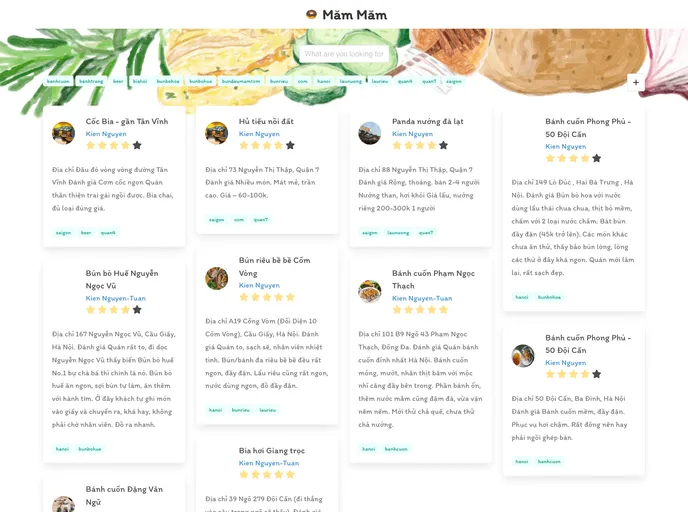
Overview
The content provides information on the installation and customization of the “Cuisine Book” theme for the Hugo website generator. It includes instructions on how to install the theme both as a git module and a Hugo module. The article also covers site configuration and customization options. Additionally, it provides guidelines on contributing to the theme’s development.
Features
- Requirements: The theme requires the use of Hugo extended version.
- Installation: The theme can be installed as a git module or a Hugo module.
- Configuration & Customization: The theme offers various options for site configuration and customization.
- Contributing: Guidelines on how to contribute to the development of the theme.
Installation
Install as git module
To install the “Cuisine Book” theme as a git module, follow these steps:
- Navigate to your Hugo project root.
- Run the command: Run hugo (or set theme = “cuisine-book”/theme: hugo-book in the configuration file).
Install as Hugo module
Alternatively, you can add the “Cuisine Book” theme as a Hugo module by following these steps:
- Initialize Hugo modules if not done yet.
- Navigate to your Hugo project root and add a
[module]section toconfig.toml. - Load/update the theme module and run Hugo.
Configuration & Customization
Site configuration
To configure the site using the “Cuisine Book” theme, you can add specific options to your config.toml file.
Customization
The “Cuisine Book” theme allows for extra customization through the following options:
- Override default favicon: Replace the default favicon by adding the desired
favicon.pngfile to thestatic/directory. - Customize or override SCSS styles: Customize or override styles by modifying the
assets/_custom.scssfile. - Replace default fonts with custom fonts: Replace the default font with custom fonts using the
assets/_fonts.scssfile. - Override the comments template: Modify the comments.html template by creating a
layouts/partials/comments.htmlfile.
Contributing
To contribute to the development of the “Cuisine Book” theme, the following steps can be followed:
- Fork the repository.
- Create a new branch for your feature (e.g.,
git checkout -b my-new-feature). - Commit your changes (e.g.,
git commit -am 'Add some feature'). - Push your changes to the branch (e.g.,
git push origin my-new-feature). - Create a new Pull Request to submit your changes for review.































