



 Github Stars:
 Last Commit:
  Created:
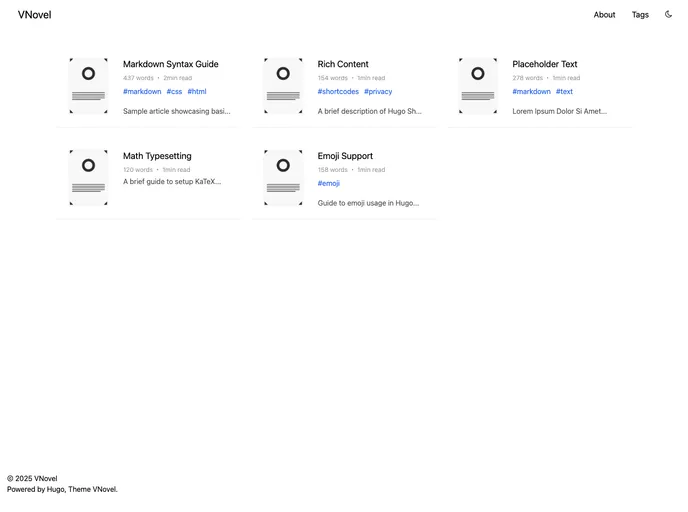
Overview:
The VNovelPixiv-like theme is a Hugo theme designed for novels. It provides a responsive design, support for tags, light and dark mode, Google Analytics and Yandex Metrica integration, RSS feeds, and i18n support. The theme aims to achieve a Lighthouse score of 100/100.
Features:
- Responsive: The theme is designed to be fully responsive, ensuring optimal viewing experience across different devices.
- Support tags: Users can categorize their novels using tags, making it easier for readers to discover related content.
- Switch Light / Dark: The theme provides a switch to toggle between light and dark mode, allowing readers to choose their preferred reading environment.
- Google Analytics: Integration with Google Analytics allows users to track and analyze their website’s traffic and user behavior.
- Yandex Metrica: Integration with Yandex Metrica provides additional analytics capabilities, helping users gain insights into their website’s performance.
- RSS Feeds: The theme generates RSS feeds, enabling readers to subscribe and receive updates on new content.
- Supported i18n (en/ja): The theme supports internationalization, allowing users to create multilingual websites in English and Japanese.
- Lighthouse 100/100: The theme is optimized to achieve a Lighthouse score of 100/100, ensuring fast loading times and good performance.
Installation:
Method 1:
- Inside the folder of your Hugo site, run the following command:
git submodule add https://github.com/xxx/vnovel.git themes/vnovel`
- Update the theme by running the following command:
git submodule update --recursive --remote
Method 2:
- Inside the folder of your Hugo site, run the following command:
git clone https://github.com/xxx/vnovel.git themes/vnovel
- Update the theme by running the following command:
cd themes/vnovel
git pull
Install Dependencies:
Copy at least the following files from themes/vnovel/exampleSite to the root folder of your site:
package.jsontailwind.config.jspostcss.config.js
After that, run this command:
npm install
For more information, refer to the official setup guide of Hugo.
Getting Started:
After successfully installing the theme, follow these steps to get your site up and running:
- Update the config file by copying the
config.tomlfile from theexampleSitefolder to the root of your Hugo site. - Change the strings in the
config.tomlfile as per your preferences. - In order to see your site in action, run Hugo’s built-in local server by entering
localhost:1313in the address bar of your browser. - Build your site using the appropriate Hugo command.
Contributing:
If you find a bug or have an idea for a feature, feel free to open an issue or make a pull request on the project’s GitHub repository.
License:
This theme is released under the MIT license.
Summary:
The VNovelPixiv-like theme is a Hugo theme designed for novels. It provides a range of features such as responsiveness, tag support, light/dark mode, analytics integration, RSS feeds, and i18n support. The installation process involves cloning the theme repository, copying necessary files, and updating the config file. Overall, the theme aims to provide an optimized and customizable experience for novel authors.































